Offers Cookies
Pathname cookies is a feature added to change specific content in post purchase offers pages according to a cookie value that can be added through a Cookie Experiment.
Details
How it works
- Create a cookie with the name that corresponds to pathname by extracting the pathname and replace each
/with-ex. https://start.thefabulous-staging.co/offers/workbook/fabulous/reset-routine is turned intooffers-workbook-fabulous-reset-routine-{'{{'}postfix_value{'}}'}and add the value as the intended input. - Postfix value is the value in which determines what part of the page will be changed with the cookie value
| postfix | accepted type | description | example |
|---|---|---|---|
cta | string | Changes the CTA title. It includes the floating button CTA. Defaults to “+ Add to my plan” |  |
price-box-title | string | Changes the price box title. Defaults to the value retrieved from config | 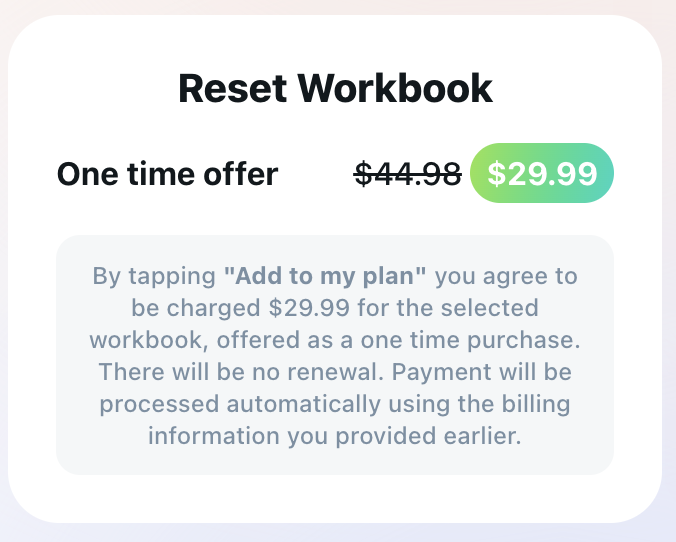 |
hero-title | string | Changes the text of the hero’s small title | 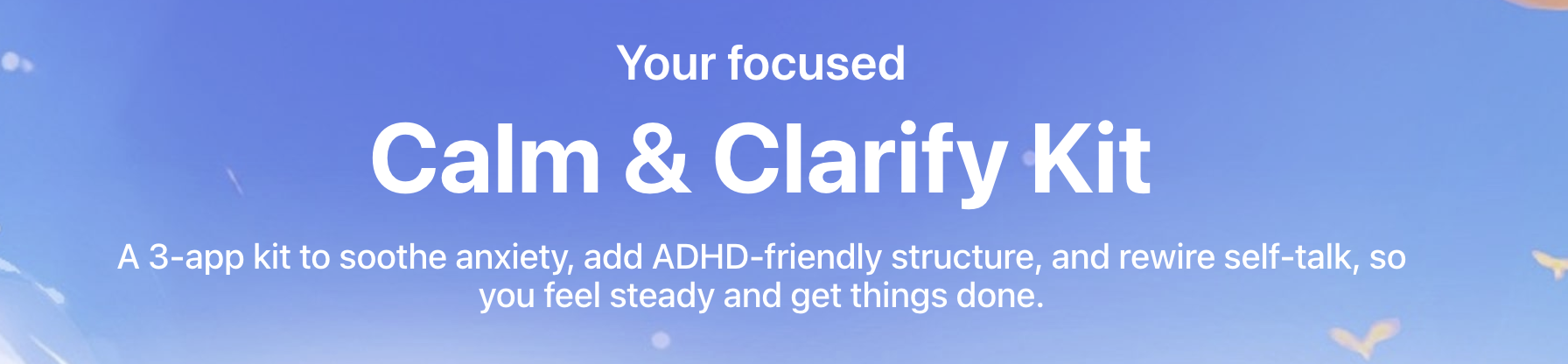 hero-title represents “You’re focused“ in the screenshot. |
hero-hide-title | boolean | Hides the hero-title. It should be set only to hide the title. Cookie key example for Lune: offers-platinum-lune-mini-bundle-calm-and-clarify-kit-hero-hide-title | |
hero-subtitle | string | Changes the hero’s large title. | “Calm & Clarify Kit“ in the screenshot. |
hero-paragraph | string | Changes the hero’s description. |
-
Works on the following list of post purchase offers:
- Workbooks — `/offers/workbook/{{APP_NAME}}/{{WORKBOOK_SLUG}}
- Mini-bundles — `/offers/platinum/{{APP_NAME}}/mini-bundle/{{MINIBUNDLE_SLUG}}
- Family plan revamp —
/offers/platinum/{'{{'}APP_NAME{'}}'}/family-plan-revamp - Human-coach —
/offers/expert-coaching/{'{{'}APP_NAME{'}}'}/human-coach - AI-coach —
/offers/ai-coaching/{'{{'}APP_NAME{'}}'}/control
Offers General Cookies
General Cookies for offers are the cookies that has nothing to do with the pathname however, it affects the offers pages behavior
| Cookie Name | accepted type | description | example |
|---|---|---|---|
upsellFloatingMode | default hide-initially | Changes the CTA floating button behavior. The default variant acts as the default behavior when the hide-initially variant hides the button until the first intersection with the fixed CTA button | |
offersShowRibbon | true false | Adds a discounted price ribbon to the price box in case the discounted offer is accepted and jumps to the price box directly after closing the discounted offer modal | 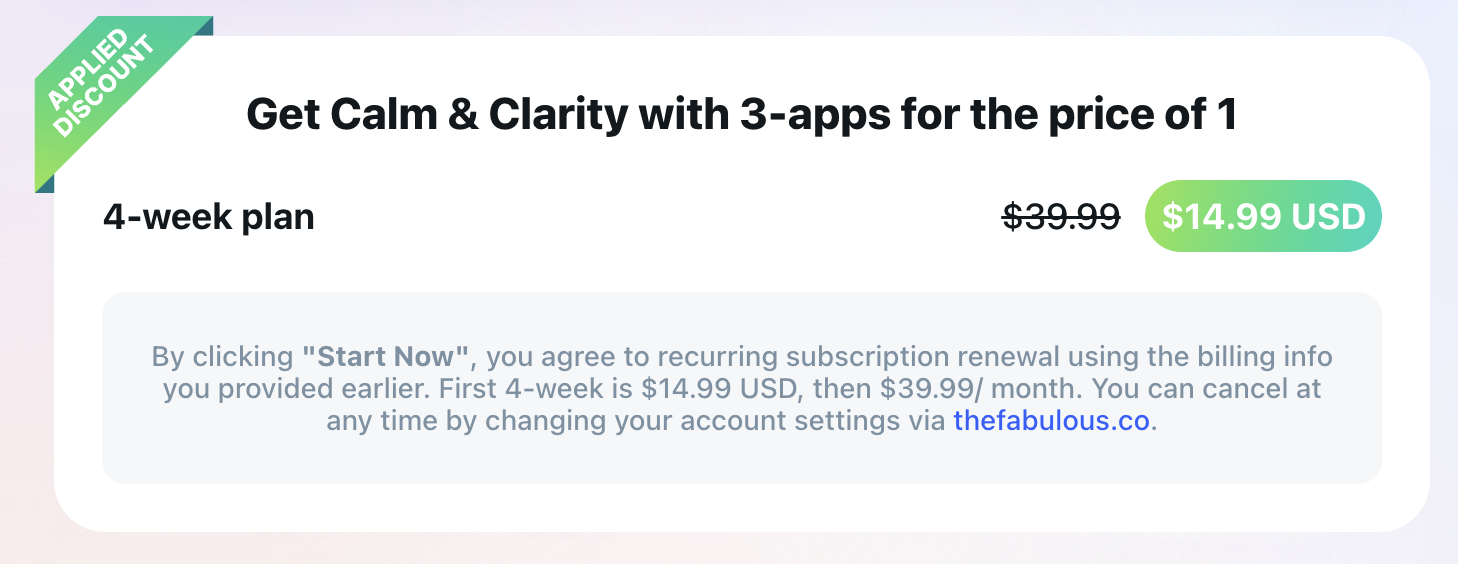 |
Technical details [For Developers]
Simply the pathname cookies are generated using this usePathnameCookie custom hook. usePathnameCookie hook retrieves the current pathname using NextJS’s hook usePathname and transforms the pathname into the proper cookies name by replacing / with - and removing the prefix /. The hook accepts an Array of strings string[] that consists of the prefixes ex. const {data} = usePathanameCookie(['cta','price-box-title']) you can also find a usage example in the FloatingButtonWithPulseShadow component.